
ScotMesh brand
The saltire, drawn as a mesh. Everything you need to put ScotMesh, or one of its three networks, on a website, a repo, a Discord server or a sticker on a hilltop box.
Four nodes, two links, one crossing
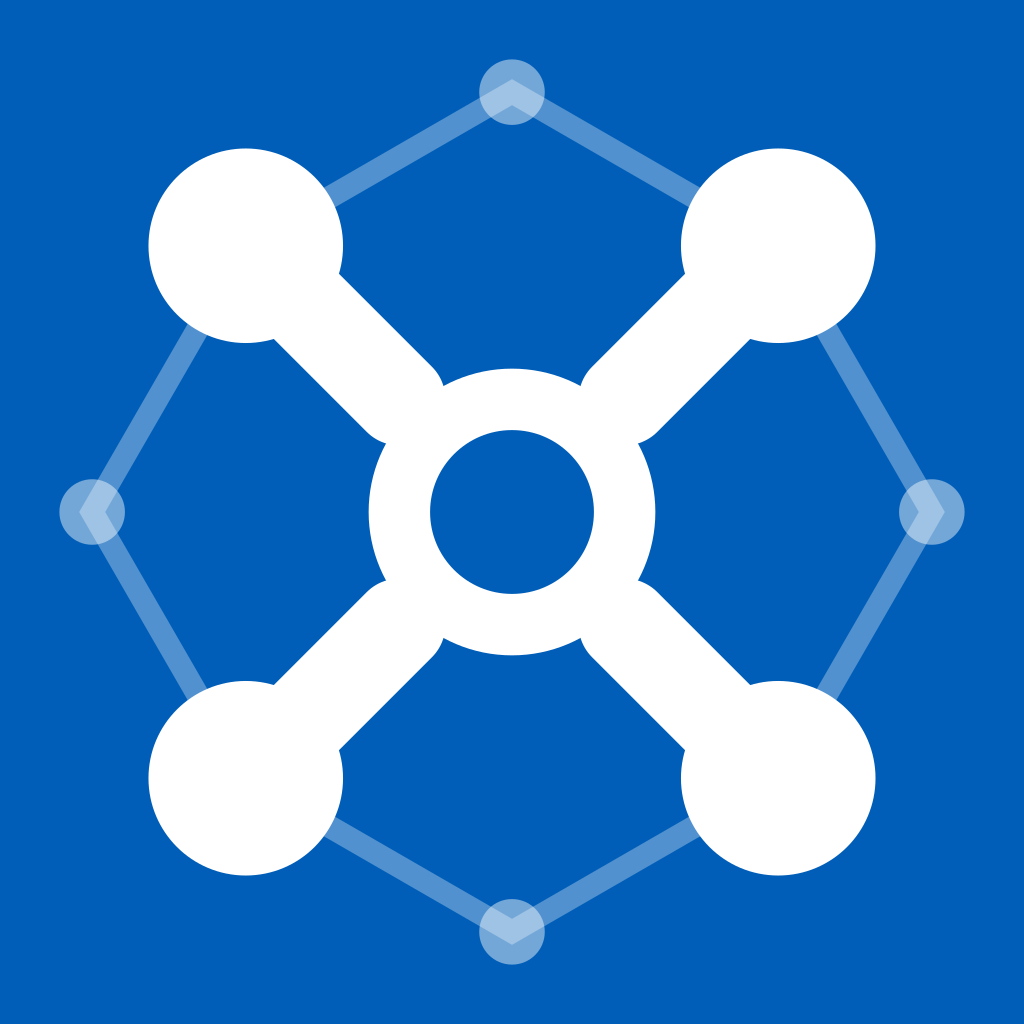
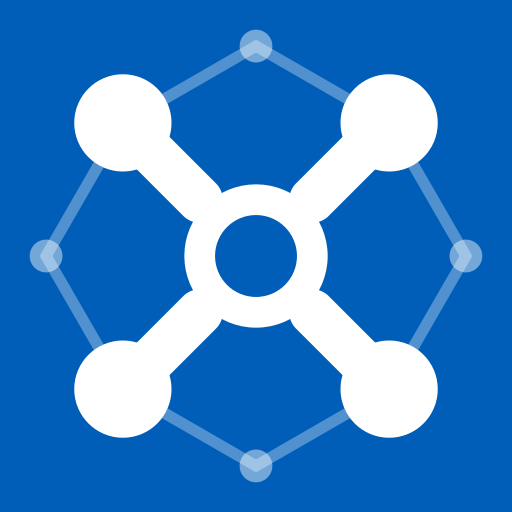
The saltire is made of the network itself: four corner nodes linked through a node at the centre, with fainter neighbours meshing around the edge. It reads as the flag at a glance and as a mesh on a second look.



Built on a 100-unit square
Every measurement below is in units of a 100 × 100 square. Rebuild the mark from these numbers rather than tracing it.
- Field
- 100 × 100, Saltire
#005EB8. Square corners; platforms round or crop it themselves. - Corner nodes
- Centres at 24 and 76 on both axes, radius 9.5, white.
- Links
- 9 wide, round caps, running from each corner node towards the centre and stopping under the ring.
- Centre node
- A ring: radius 11, stroke 6 white, filled with the field colour.
- Outer mesh
- Nodes at 9 and 91 on the centre lines, radius 3.2, white at 45%. Links 2.2 wide, white at 32%, joining each outer node to its two neighbouring corners.
- Circle crop
- Everything that matters sits inside a circle of radius 50, so Discord and GitHub crops never cut a node.
- Small mark
- Corners at 25 / 75, nodes radius 11.5, links 12, ring stroke 8, no outer mesh.
Space, size and what not to do
Clear space
Keep at least 10% of the mark's width empty on every side, about half a corner node. More is always fine.
Minimum size
The full mark down to 48px. Below that, switch to the small mark, which still reads at 16px.
Backgrounds
The mark carries its own field, so it sits on anything. Use a glyph only on a flat, calm background.

One family, three networks
ScotMesh runs MeshCore, Meshtastic and Reticulum side by side. Anything that belongs to one network (a tool, a site, a wiki, a repo, a Discord role) uses that network's version. Network marks sit on Night, and the network's colour fills the centre node and the outer mesh.
The rule: where a logo appears on something network-specific, use the network lockup (scotmesh/meshcore), never the plain ScotMesh mark.

#56B4F5 · deep #0069A6CoreScope, Live Map, observer tools.foldermarklockup
#65C281 · deep #05773BMeshtastic guides, channels and roles.marklockup
#B199F4 · deep #6A51A4Backbone node, wiki, flasher, firmware.marklockup
The three tints share one lightness and chroma (oklch 74% / 0.13) and differ only in hue, so no network looks louder than another. Each is at least 7.6:1 against Night. Use the deep version for text on light backgrounds.
File in networks/<network>/ | Size | Use |
|---|---|---|
lockup-stacked-on-dark, -on-light | about 4:1 | The default logo for network things: nav bars, site headers, README sections |
lockup-on-dark, -on-light | about 10:1 | One-line scotmesh/meshcore where there is width to spare |
lockup-short-on-dark, -on-light | 5.6:1 | Only where the network is already obvious and space is very tight |
mark, mark-small, favicon.ico, apple-touch-icon.png | square | Avatars and browser icons for the network's tools |
readme-header | 1600×400 | README banner for the network's repos |
og-image, github-social-preview | 1200×630, 1280×640 | Link previews and repo social previews |
header, header-mesh.svg | 1500×500 | Social headers; text-free header art for the network's websites |
discord-emoji, discord-role-icon | 128, 64 | :meshcore: emoji and the network's role icon |
scotmesh, in lowercase mono
The wordmark is scotmesh, lowercase, in IBM Plex Mono SemiBold with −3% tracking. It only ever appears as a drawn wordmark; in sentences, write ScotMesh. Every SVG has its text converted to outlines, so nothing depends on fonts being installed.






In a lockup the wordmark's type size is 90% of the mark's height, with a gap of 30% of the mark's height between them. Network lockups add /network in the network's tint on dark or its deep colour on light.
Night, Saltire, Mist, and a Signal
Night is the ground everywhere ScotMesh lives online. Saltire blue is for fills: the mark's field, primary buttons, banners. Mist is text on dark. Signal is used once per view at most, for something live.
Network tints
Interface colours
| Token | Hex | Use |
|---|---|---|
| Card | #101C30 | Raised surfaces on Night |
| Well | #0C1729 | Code, inputs and inset areas |
| Line | #22324D | Borders and dividers |
| Muted | #8FA2BD | Secondary text (6.6:1 on Card) |
| Link | #7FB2EE | Links on community-wide pages. Network pages use their tint. |
| Status | #22c55e #f59e0b #ef4444 | Up, stale and down only. Status colours are not brand accents. |
| Mesh | #23406A #4B72A6 | Background mesh links and nodes in graphics |
IBM Plex, two cuts
Mono is the technical voice: the wordmark, headings, node IDs, frequencies and anything you would copy into a config file. Sans Condensed carries reading text and fits dense tool interfaces. Both are free under the SIL Open Font License.
Headings, labels, addresses, rns.scotmesh.net:4242. SemiBold for headings with −2% tracking.
Body copy, taglines and interface text. 17–18px for reading.
Self-host the fonts from web/fonts rather than loading them from Google. Plenty of mesh people care where their browser connects.
The big saltire
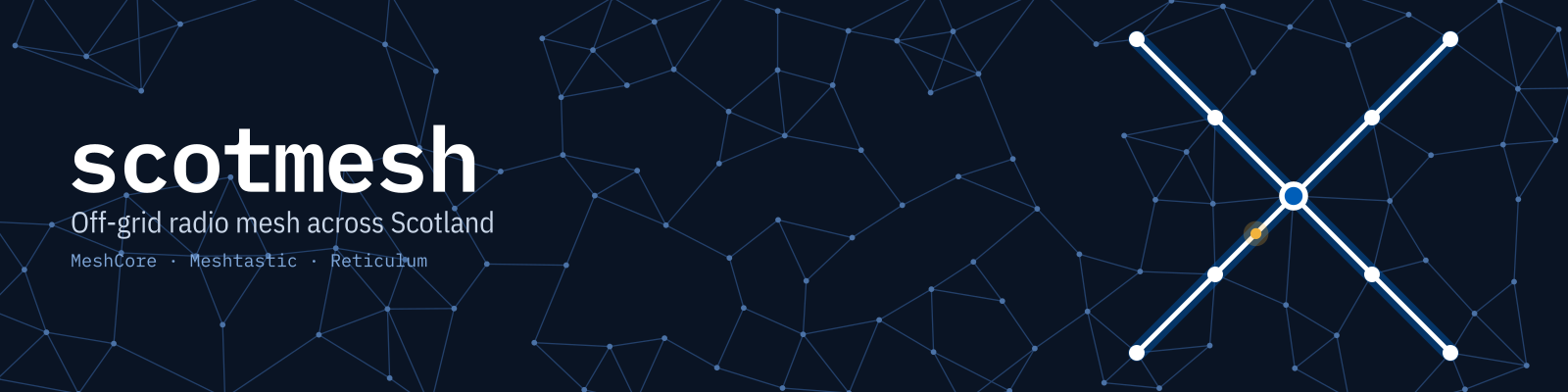
Banners and headers repeat the mark at landscape scale: a quiet mesh across Night, one bright saltire of linked nodes, and a single packet on one of its links. Keep text on the sparse side and the saltire clear of it.
Ground and mesh
Night, with links at #23406A and nodes at #4B72A6. Density thins out behind text.
The saltire
White links and nodes with a Saltire glow. Network versions glow in their tint and fill the centre node with it.
One packet
One Signal dot on a saltire link, at 62% along. Network versions use the tint.
Ready for every place we show up
Pick the brand, the platform and the asset. Every asset exists for ScotMesh and for each network, sized to the platform's spec. Where a platform crops the image, the guides show what stays visible.
- Size
- Where
- Guidance
- File
Want everything at once? Download the full kit, or browse the files on GitHub.
Tokens, icons and where it's in use
ScotMesh sites are dark by design, with no light theme to maintain. Start from these tokens, set the accent to the network tint on network pages, and keep status colours for status.
:root{
  --night:#0A1424; --card:#101C30; --well:#0C1729; --line:#22324D;
  --mist:#E6EDF7; --muted:#8FA2BD; --saltire:#005EB8; --link:#7FB2EE; --signal:#F2B33D;
  --meshcore:#56B4F5; --meshtastic:#65C281; --reticulum:#B199F4;
  --up:#22c55e; --warn:#f59e0b; --down:#ef4444;
  --mono:"IBM Plex Mono",ui-monospace,Menlo,Consolas,monospace;
  --sans:"IBM Plex Sans Condensed","Roboto Condensed","Arial Narrow",system-ui,sans-serif;
}
body{background:var(--night);color:var(--mist);font-family:var(--sans)}
h1,h2,h3{font-family:var(--mono);font-weight:600;letter-spacing:-.02em}
Head tags
web/favicon.svg and favicon.ico, apple-touch-icon.png (180), icon-192, icon-512 and icon-maskable-512 with site.webmanifest, a 1200×630 og-image.png, and theme-color #0A1424.
Header art
web/header-mesh.svg (or a network's) as a right-aligned background, with a Night gradient from the left so headings stay readable.
| Site | Version |
|---|---|
| scotmesh.net | ScotMesh, with each network section headed by its lockup |
| corescope.scotmesh.net | MeshCore |
| map.scotmesh.net | MeshCore |
| rns.scotmesh.net | Reticulum |
| wiki.scotmesh.net | Reticulum |
| rnode.scotmesh.net | Reticulum |
How we write it
| Write | Not | Notes |
|---|---|---|
| ScotMesh | Scotmesh, Scot Mesh, SCOTMESH | In running text. Lowercase scotmesh belongs to the drawn wordmark only. |
| MeshCore, Meshtastic, Reticulum | Meshcore, MeshTastic, RNS (in prose) | The projects' own spellings. rns is fine in hostnames and code. |
| scotmesh/reticulum | ScotMesh-Reticulum | Only as a network lockup; say "ScotMesh's Reticulum network" in prose. |
| Off-grid radio mesh across Scotland | The community tagline. |